Fix Access File - Recover Original Contents

Fix Corrupt MS Access File & Recover All Items - MS Access Fix Software
Access Recovery Tool to Fix Corrupt MDB File

With SysTools Access Recovery tool, fix corrupt Access database to recover Access contents in original form as the software does not hamper any data information in any way.

Facing any corruption issue in your Microsoft Access database .MDB files? Are the MDB file contents (tables, queries, relationships, etc.) inaccessible to you due to database damage?

Then, you need to Fix Access database using an Access database recovery tool that will open Access and then repair corrupt Access files to help you recover Access database contents.

Safely Fix Access with Us - No Data Is Altered, Deleted or Damaged

Here is a tool that does not hamper your crucial data information saved in Access database MDB files in any way - SysTools Access Recovery Tool.

  • It does not delete any data information while recovery.
  • It does not over write any data while performing MDB recovery.
  • It does not damage any information contained in Access database.
  • It does not change any data information while the recovery process.
  • Demo Version of SysTools Access Recovery - FREE To Try

    • MS Access - 2003, 2002, 2000 and 97
    • Windows OS versions - 98, ME, NT, XP, 2000, 2003 and Windows 7

    The FREE Demo of the software will show you how the software will open Access database files and how it repairs MDB files. This version also shows you the preview of recovered items. However, in the Demo Version, the file saving option is restricted which means you cannot save the recovered items to your system using the Demo Version. For saving the recovered Access database contents, buy the Full Version of SysTools Access Recovery Tool. Software demo is for your evaluation before purchase. You can check the features of the software as this is a fully-functional version.

    Fix Access Using Our Easy-to-use Software

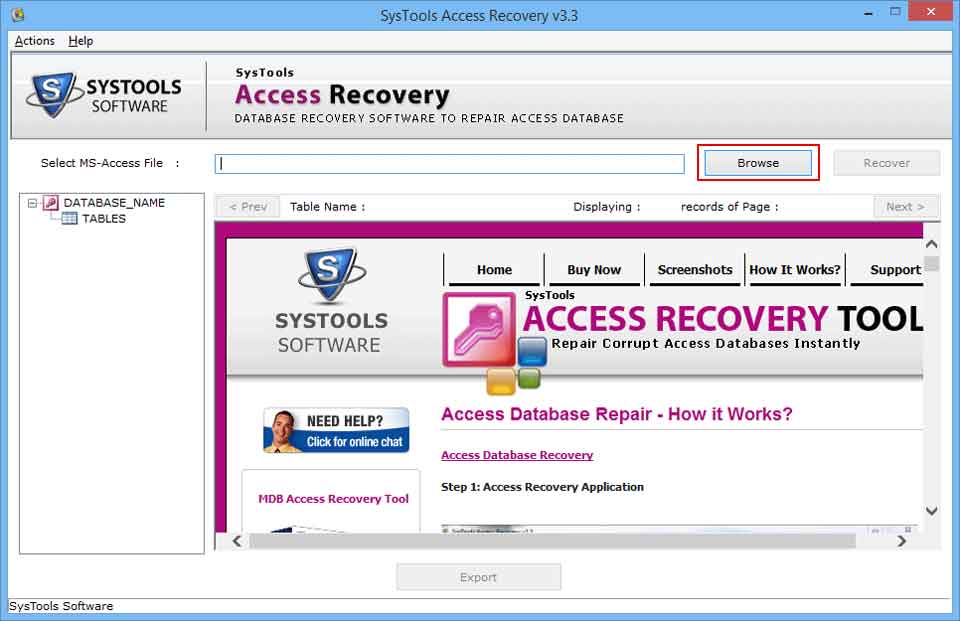
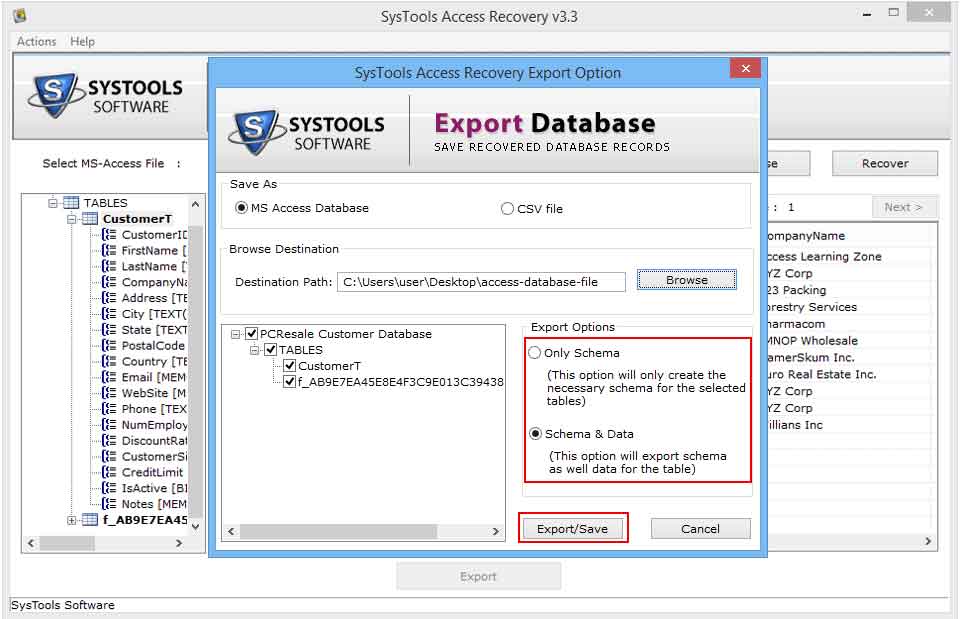
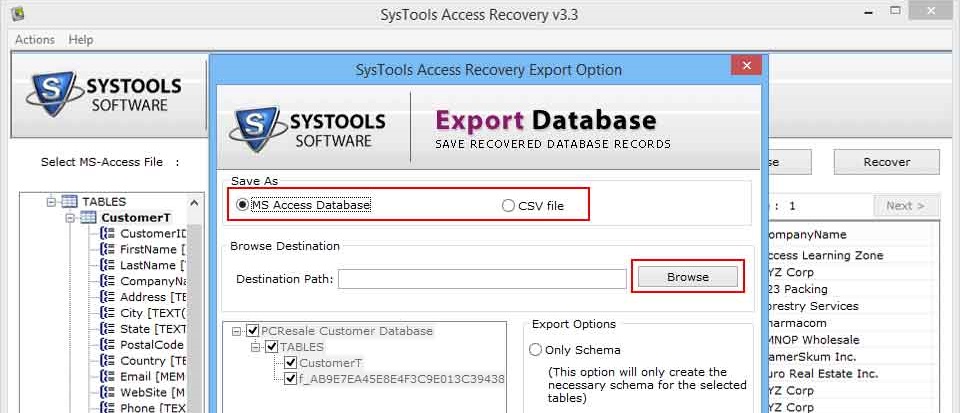
    SysTools Access Recovery Tool is a simple and intuitive tool that comes with an easy to understand interface and simple screen instructions. Even beginners can use the software confidently getting complete results.

    Enjoy the Features - Fix Access Using SysTools Access Recovery

    This is feature-packed tool. Some of its useful features are as follows:

    • Using SysTools Access Recovery Tool, you can open MS Access database and repair corrupted or damaged MDB files of Access database.
    • You can also repair MDB files of MS Access; but for repairing MDB files, you must import them explicitly.
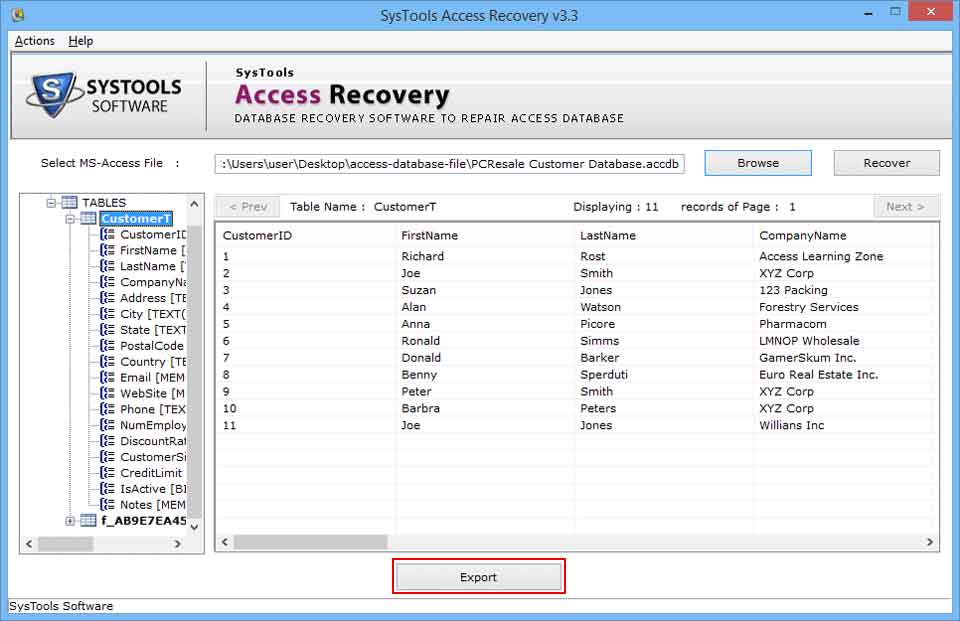
    • Restore tables and tables' data in their original form.
    • You can recover primary keys and unique keys also along with the relationships.
    • Using the software, you can also repair password protected files.
    • The software will show you the preview of recovered items before saving the files to your system.

    Full Licensed Version of SysTools Access Recovery Tool

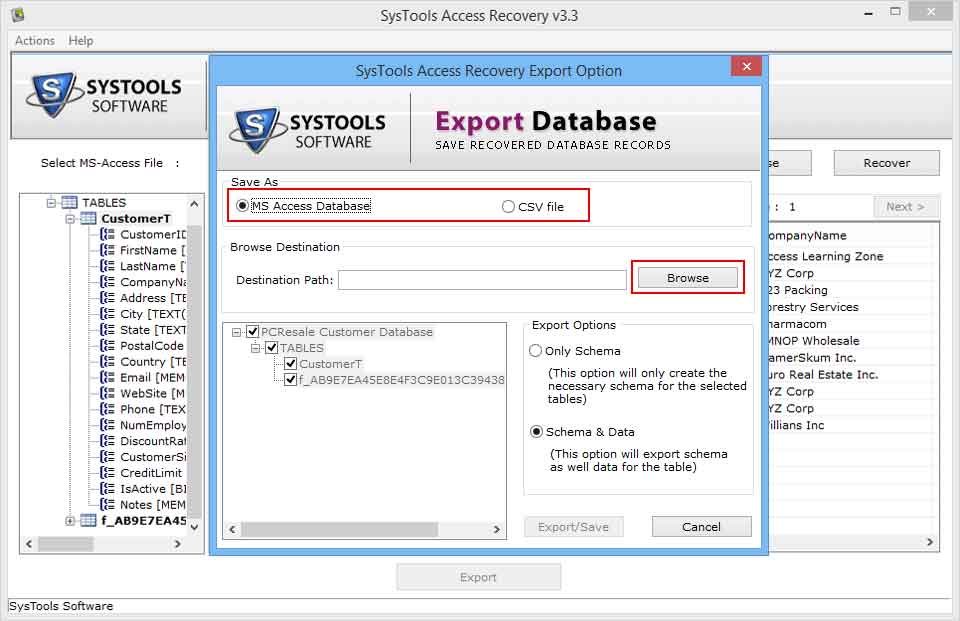
    Using the Full Version of SysTools Access Recovery software, you can fix Access database completely. You can repair all MDB files and recover all the contents from corrupt Access database files easily. Unlike the Demo Version, you can save all recovered items to your system, using this version.

    Support (Assistance Is Available All the Time and For All Queries)

    Online Support » We are always active to assist you. The support team of SysTools is present online to guide you throughout the process of Access database recovery using our software. Feel free to ask us whenever in doubt.

    Download Demo

    Get the Demo Version of SysTools Exchange Export/Import Wizard software for FREE!

    This Exchange mailbox export tool works with Exchange Server 2003 & Exchange 2007 .

    Get Free Demo version of SysTools Exchange Export Import Wizard


    Our Products

    Export Notes
    Version: 8.0

    Outlook to Notes
    Version: 5.0

    Notes Address Book Converter
    Version: 7.0

    Lotus Notes to Outlook Express
    Version: 3.0

    Notes to Excel
    Version: 5.0

    Lotus Notes Contacts to GMAIL
    Version:1.0

    Notes Contacts to Outlook Express
    Version: 3.0

    Securase
    Version: 3.0


    Support Segment

    (Ask Us & Clear All Doubts)
    SysTools support staff consists of highly proficient professionals who are expert in technicalities and possess all information about all aspects - whether it is about the software use, its features or even the purchase process. They will guide you perfectly whenever you are in doubt.

    Technical Support


    Client Testimonials

    "I used the software and found it good. Conversion was seamless and none of my data got altered during the conversion from PST to Exchange Server"

    Mark Clarid

    I wanted to perform the conversion from Exchange mailbox to PST file and read about this software. It served my purpose.

    Samantha Jionis

    More Testimonials

    Awards & Reviews

    Rated as Best Notes Email Migration Tools Rated as Best Lotus Notes Email Migration Tools

    More Awards

    More Products..