How to Open Lotus Notes Mail in Outlook?
Read Lotus Notes Database with Export Notes Software
How to Open Lotus Notes Mail in Outlook?
Open Notes in Outlook – Potential Reasons behind It: Due to some “have to” or “want to” reasons, you might be looking towards the solutions to open Lotus Notes Mail in Outlook.
- “Have to” Reasons:
You might have switched your job and the new company has Microsoft Outlook environment unlike the Lotus Notes environment in the previous organization. For this reason, you “have to” open your Lotus Notes email data in Microsoft Outlook to have all the needed and required email records accessible.
You have Lotus Notes in office but Outlook at home and you “have to” open Lotus Notes mail in Outlook so that you get all your official email information accessible at home also.
- “Want to” Reasons:
You might want to try Microsoft Outlook owing to its easier usage compared to the Lotus Notes that you were using before. So, due to this switch of email application, you “want to” read Lotus Notes database in Outlook so that none of your email information perishes.
Read Lotus Notes in Outlook
Below is the step-by-stop guideline to make the process to Open Lotus Notes Mail in Outlook easy and convenient for you:
Step 1: Lotus Notes to Microsoft Outlook Conversion. Using a third-party tool like SysTools Export Notes software, you can convert Lotus Notes to Outlook, after which you will be able to Open Lotus Notes Mail in Outlook. Detailed Steps
Step 2: Save Converted PST File. Save the converted Outlook PST file (converted from Lotus Notes NSF file) to your system.
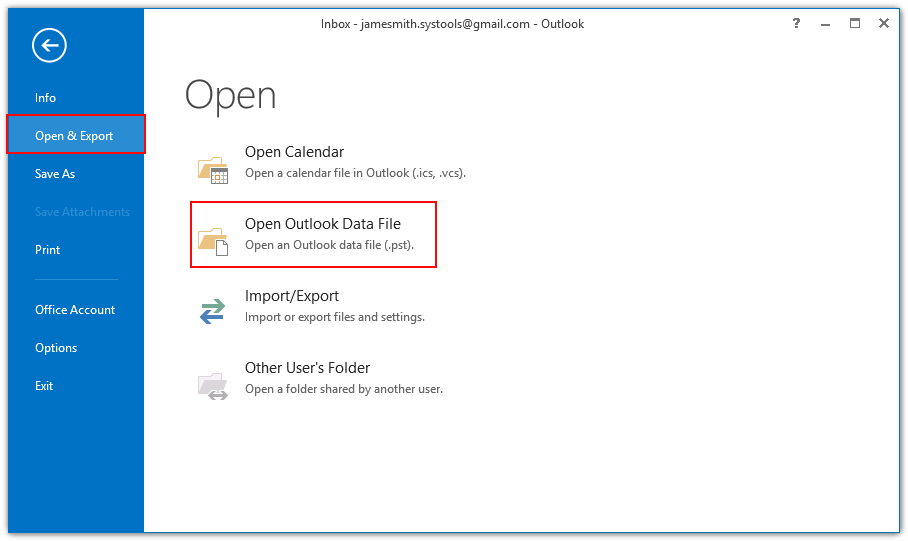
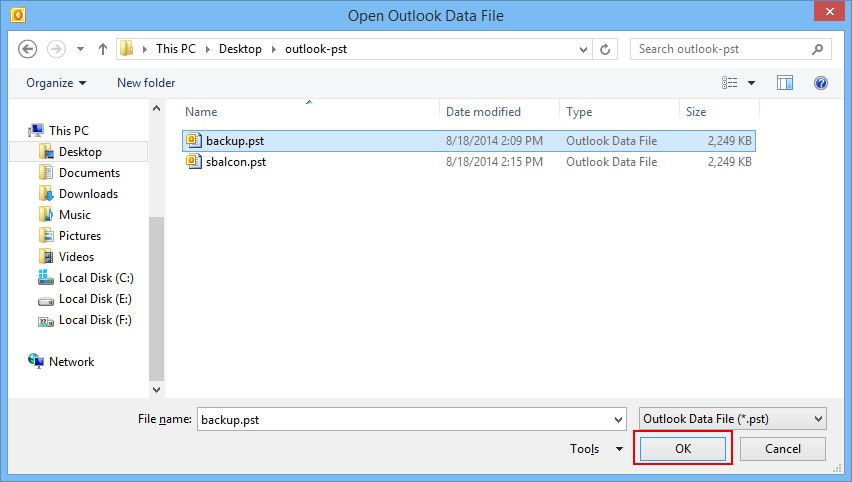
Step 3: Open PST File. Navigate the saving location to open the PST file that is converted from the NSF file having Lotus Notes mail information.
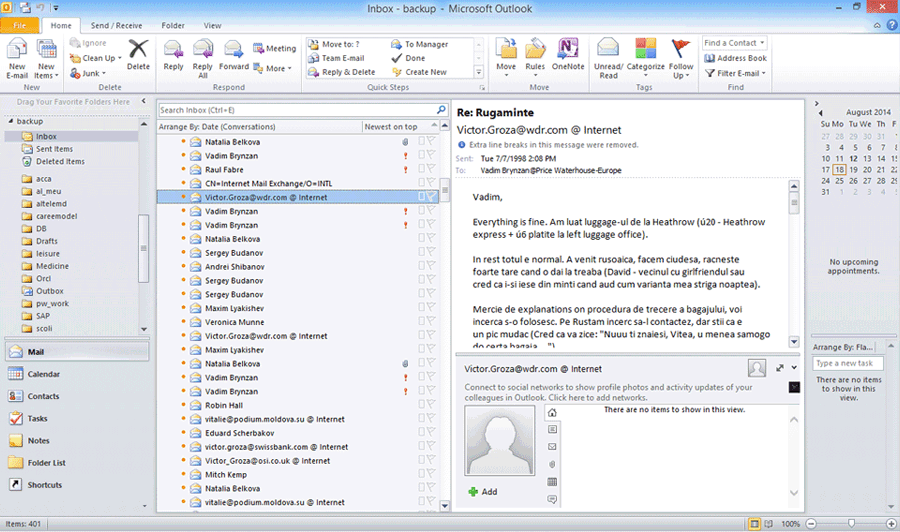
Step 4: Access NSF in PST. The converted PST file that you will open will have the Lotus Notes NSF email information. You will be able to access all your previous Notes email data (contained in NSF files) in Microsoft Outlook email client (in the converted PST files).
Download Demo
Download DEMO version of our SysTools Export Notes software. DEMO Version allow users to convert only 15 items such as emails, contacts, calendars, to do list from Lotus Notes to Outlook. Order Online to convert MULTIPLE Lotus Notes NSF files to Microsoft Outlook PST files at just $250.
File Size: 4.40 MB
Version: 8.3
Support OS: Win 2000/XP/2003/Vista/7
Download Demo
Get the Demo Version of Lotus Notes to MS Outlook for FREE
Support Help Desk
Need Technical Support?
Contact our support help desk for technical support 24x7.
Client Testimonials
"It is surely a master piece. I would say it is best Lotus Notes to MS Outlook converter software. Just few clicks & migrate our all NSF database into Outlook "
"Oh! Really I got awesome result using Export Notes software."
Awards & Reviews
![]() |
![]() |
Our Products
Export Notes
Version: 8.3
SharePoint Document Recovery Tool
Version: 2.0
Notes Address Book Converter
Version: 7.0